

Employee Contact Settings
After adding an employee you’ll see several settings that control how that contact interacts with different Avoca features. Here’s what each setting does: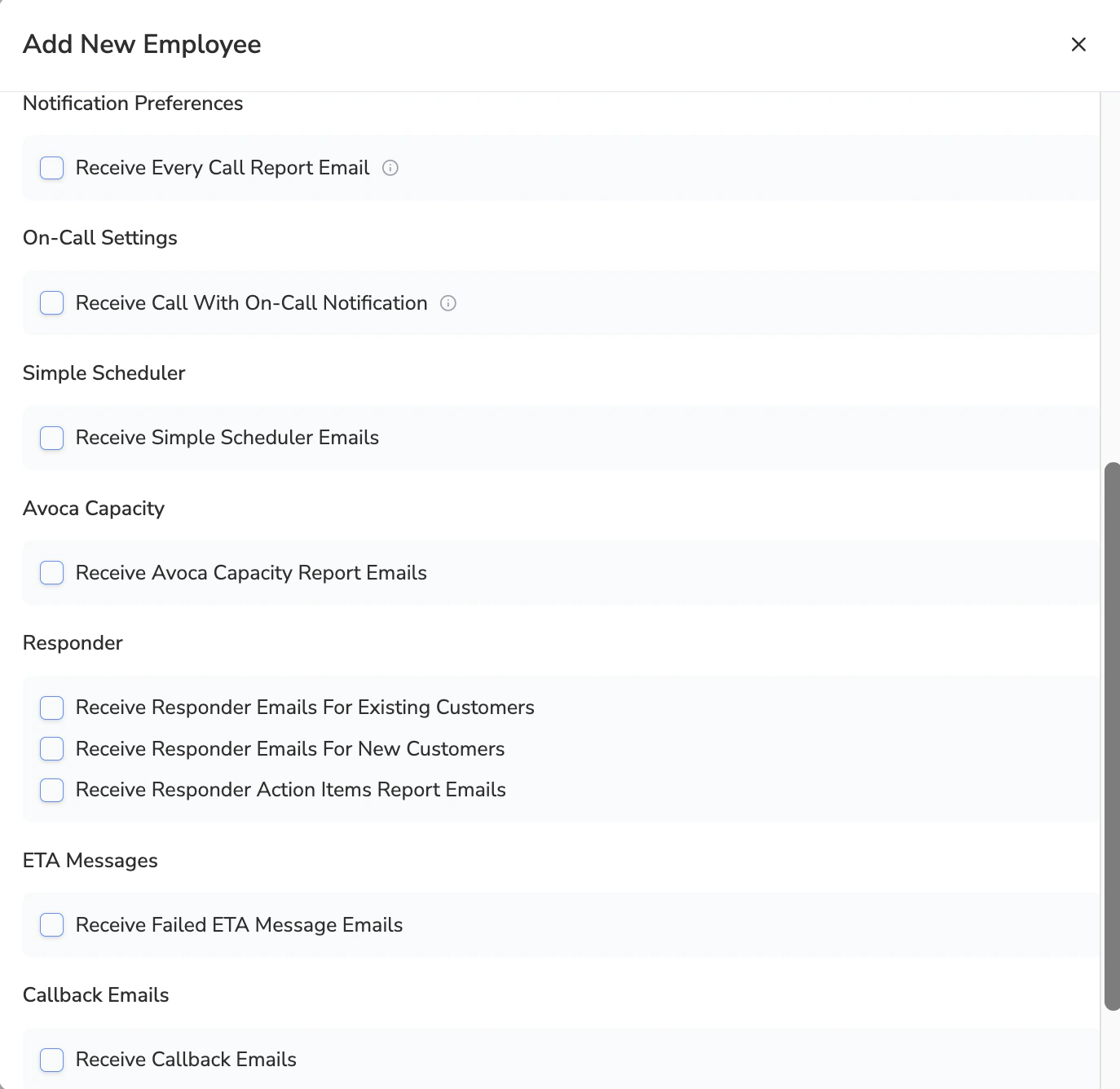
- If you want this employee to receive all the Avoca call summaries.
- This NEEDS to be enabled for you to be able to configure your preferences in the Responder section.
- Determines whether this employee should receive on-call notifications if they have a shift assigned
- Controls whether this employee receives notifications when a job gets booked via the Avoca Simple Scheduler If you currently don’t have Avoca’s Simple Scheduler and you’d like to learn more, please reach out to your Avoca CSM
- Determines whether this contact receives reminders to review and adjust their Avoca Capacity If you are not sure if you are using Avoca Capacity, please reach out to your Avoca CSM
- Receive Responder Emails For Existing Customers
- Receive Responder Emails For New Customers
- Receive Responder Action Items Report Emails
- Hourly Reports: Sent every hour from 8 AM to 8 PM, covering action items from the previous hour
- Daily Summary: Sent at 8 AM each day, covering overnight action items (8 PM to 8 AM)
- Determines whether this employee receives a notification if a customer called regarding ETA for a job
- Controls whether this contact receives notifications when customers request callbacks
Advanced: Email Routing with 'Description for Routes'
Advanced: Email Routing with 'Description for Routes'
When adding or editing an employee contact, you may notice a “Description for Routes” field. This advanced feature allows you to set up custom email routing rules for specific call scenarios.
How It Works
The “Description for Routes” field lets you automatically route certain types of calls to specific email addresses based on the call content or scenario. When you configure this field:- The employee will only receive emails for the specific scenarios you define
- Other email notification toggles (like “Receive Every Call Report Email”) will be ignored for this contact
- This email address will be excluded from receiving default email notifications