

Overview. %%
Rubrics allow you to evaluate and score how calls are handled once they are ingested into the Avoca Coach system. Each call is automatically evaluated against one rubric, which measures agent performance based on the criteria you define. You can create multiple rubrics to evaluate different types of calls (for example, bookable vs. non-bookable, inbound vs. outbound, or specific call intents). When multiple rubrics exist, Avoca’s AI will intelligently select the most appropriate rubric for each call based on your configured selection criteria.What Are Rubrics?
A rubric is a structured scoring framework used to evaluate calls. Each rubric includes:- Selection criteria that determine when the rubric should be used
- Categories representing high-level evaluation areas
- Rubric items within each category
- Weights that determine how much each item contributes to the final score
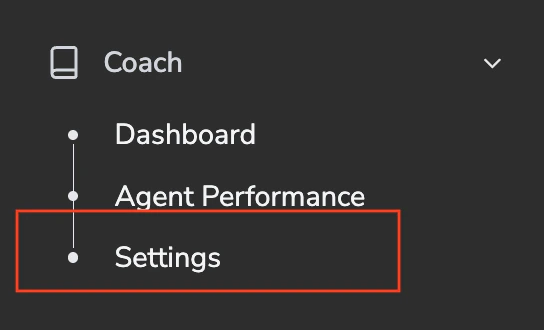
Step 1: Navigate to Rubrics
Step 2: Name the Rubric
Give the rubric a clear, descriptive title so it’s easy to identify later. Examples:- Bookable
- Not Bookable
- Inbound Sales
- Outbound Follow-Up

Step 3: Set the Call Direction (Inbound or Outbound)
By default, rubrics are created for Inbound calls. If the rubric should apply only to outbound calls: This ensures the rubric is only considered for the correct call type.
Step 4: Configure Selection Criteria
Selection criteria tell the AI when to use this rubric. This step is required when you have more than one rubric, since only one can be applied per call. When a call is evaluated, the AI:
Guidelines for Writing Good Selection Criteria
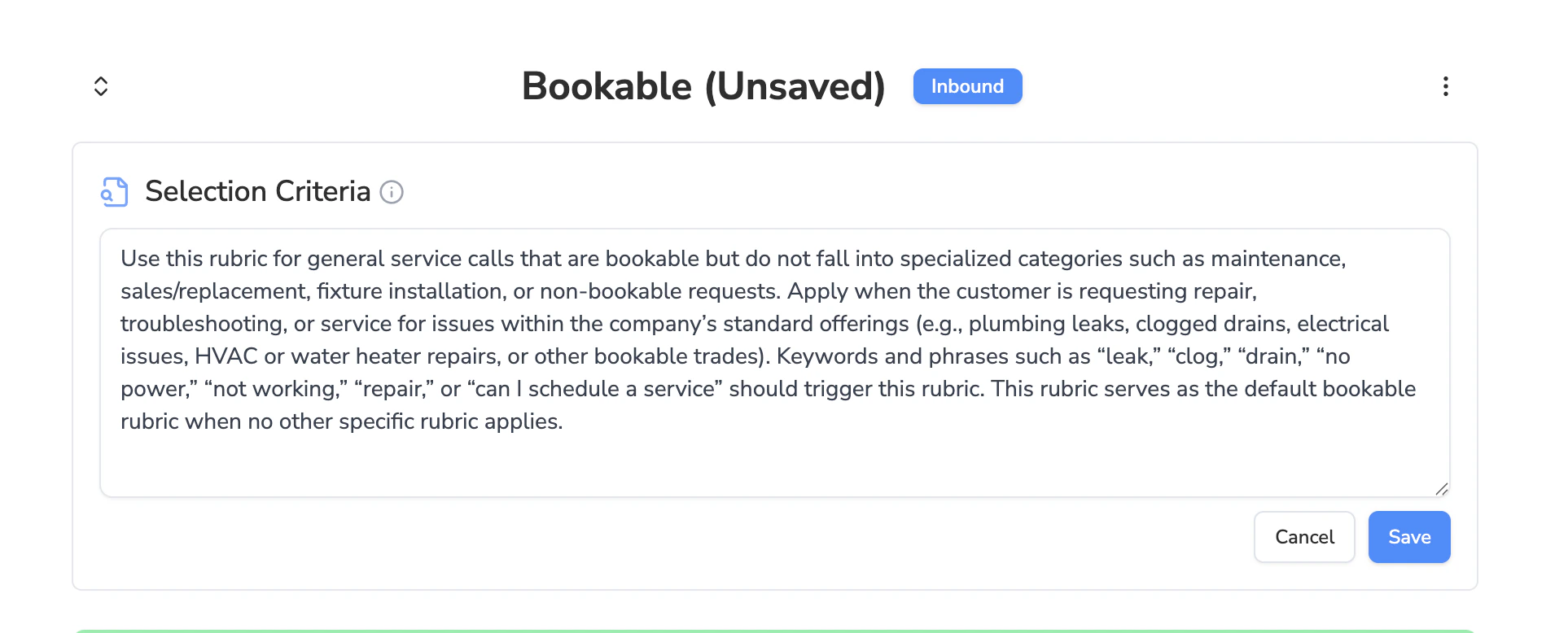
- Clearly describe the call types this rubric applies to
- Mention any relevant services, products, or topics
- Account for customer intent or circumstances
- Include common keywords or phrases heard in these calls
- Specify whether this rubric should act as a default if no others match
Use this rubric for inbound calls from new customers inquiring about HVAC service or installation. Apply when customers are calling for the first time to request pricing information or schedule a technician visit.
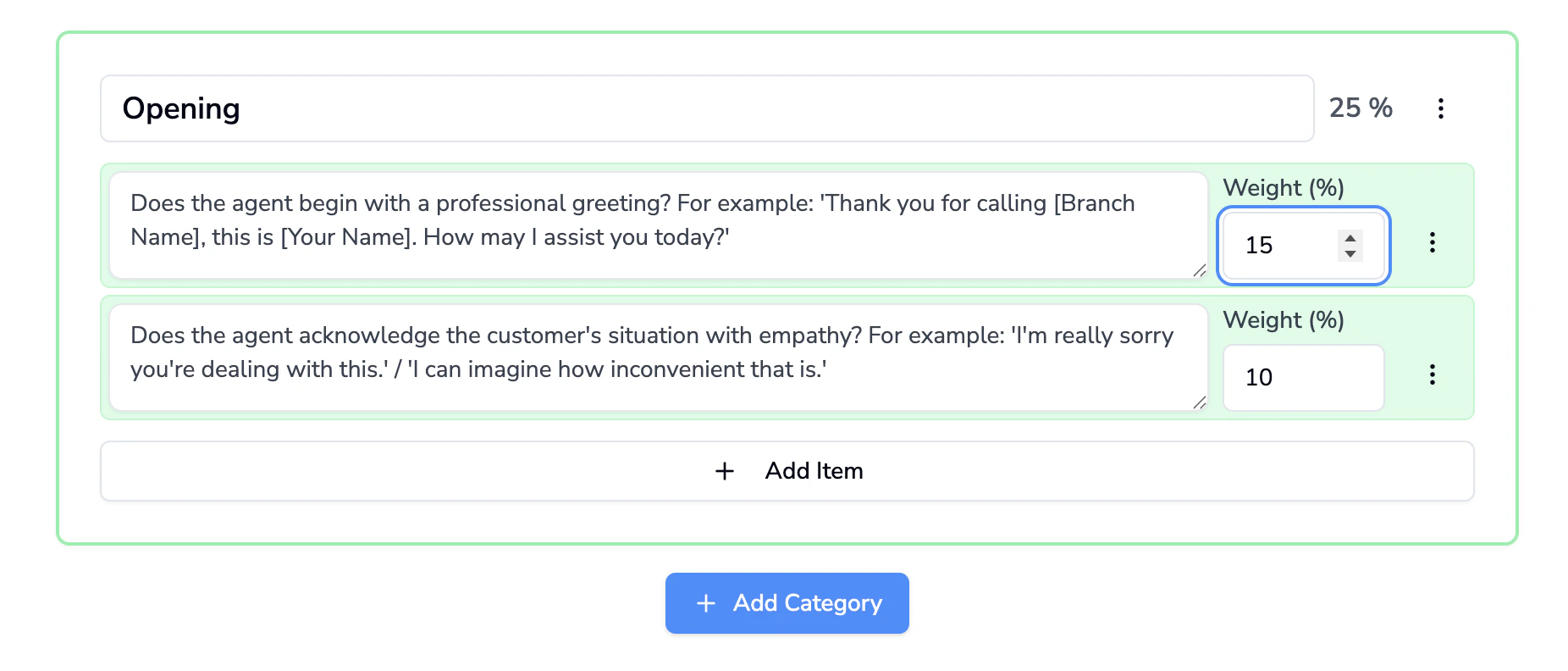
Step 5: Build the Rubric Structure
Once selection criteria are set, build the scoring framework.
This weighting determines how the final score is calculated.
Step 6: Save Your Changes
Once the rubric is complete, click Save Changes to activate it. The rubric will now be available for AI evaluation based on its selection criteria.
Step 7: Create Additional Rubrics (Optional)
To add more rubrics: You can create as many rubrics as needed, as long as each has clear selection criteria.
Managing Existing Rubrics
Disabling a Rubric
If you want to stop using a rubric but keep its historical evaluation data:- Select Disable Rubric

Deleting a Rubric
If you want to permanently remove a rubric:- Select Delete Rubric
Important:Deleting a rubric will permanently remove all evaluation results associated with that rubric.This action does not delete the calls themselves, only the rubric scores.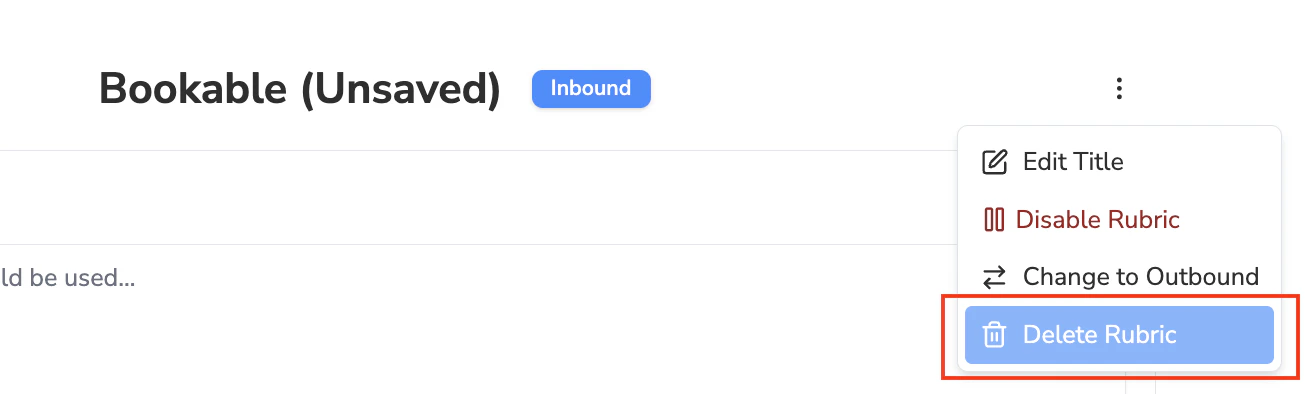
Example Rubrics:
Not Bookable
Not Bookable
Selection Criteria:
Use this rubric for calls that are not bookable, including requests for services the company does not provide, calls outside the service area, estimate-only inquiries without intent to schedule, or situations where the issue cannot be resolved or was not resolved. Keywords and phrases like “just an estimate,” “septic tank,” “American Water Resources,” “outside service area,” “I only need an update,” or “I want to reschedule/confirm” indicate this rubric. This rubric should only be used when clear non-bookable conditions are present and not for calls where the customer intends to schedule a valid service.
| Category | Evaluation Item | Weight (%) |
|---|---|---|
| Opening & Empathy | Does the agent begin with a warm, professional greeting? For example: “Thank you for calling [Branch Name], this is [Your Name]. How may I help you today?” | 8 |
| Opening & Empathy | Does the agent actively listen and restate the customer’s issue? For example: “Absolutely — I can help with [restate customer issue].” | 10 |
| Opening & Empathy | Does the agent use empathy appropriately? For example: “I’m really sorry you’re dealing with this.” / “I can imagine how inconvenient that must be.” / “That’s not the experience we want for our customers.” | 12 |
| Customer Information Collection | Does the agent collect the customer’s name? For example: “May I have your name?” followed by “Thank you, [Customer Name] — I’ll take care of this for you.” | 12 |
| Customer Information Collection | Does the agent confirm essential customer details (name, phone number, service address, account or job number if available)? | 10 |
| Call Path Handling & Resolution | Does the agent correctly identify the appropriate call path (rescheduling, confirmation, updates, sales, billing, commercial, escalation, return-to-repair, etc.)? | 15 |
| Call Path Handling & Resolution | For rescheduling calls, does the agent ask for a preferred date and provide proper instructions? For example: “What date works best for you?” and “Please answer unfamiliar calls that day, secure pets, and keep the work area clear.” | 8 |
| Call Path Handling & Resolution | For appointment confirmations, does the agent provide complete details (day/date, arrival window, service address) and preparation instructions? | 8 |
| Call Path Handling & Resolution | For transfers, does the agent use appropriate transfer language? For example: “I’ll connect you with the appropriate team who can help with that. Transferring now.” | 7 |
| Call Path Handling & Resolution | For escalations, does the agent follow proper escalation protocol (acknowledge and apologize, attempt resolution, involve a supervisor when needed, and document appropriately)? | 10 |
| Follow-up & Documentation | Does the agent clearly communicate next steps or expectations to the customer? | 8 |
| Follow-up & Documentation | Does the agent confirm callback information when a callback is required? | 5 |
| Closing | Does the agent end with a warm, professional closing? For example: “Thank you for calling [Branch Name]. We look forward to serving you!” | 3 |
Bookable
Bookable
Selection Criteria:
Use this rubric for general service calls that are bookable but do not fall into specialized categories such as maintenance, sales/replacement, fixture installation, or non-bookable requests. Apply when the customer is requesting repair, troubleshooting, or service for issues within the company’s standard offerings (e.g., plumbing leaks, clogged drains, electrical issues, HVAC or water heater repairs, or other bookable trades). Keywords and phrases such as “leak,” “clog,” “drain,” “no power,” “not working,” “repair,” or “can I schedule a service” should trigger this rubric. This rubric serves as the default bookable rubric when no other specific rubric applies.
| Category | Evaluation Item | Weight (%) |
|---|---|---|
| Opening | Does the agent begin with a professional greeting? For example: “Thank you for calling [Branch Name], this is [Your Name]. How may I assist you today?” | 5 |
| Opening | Does the agent acknowledge the customer’s situation with empathy? For example: “I’m really sorry you’re dealing with this.” / “I can imagine how inconvenient that is.” | 10 |
| Collect Information | Does the agent verify if the caller is a new or existing customer? For example: “Are you a new or returning customer?” | 5 |
| Collect Information | If the caller is a new customer, does the CSR confirm homeowner status? If the caller is a renter, does the CSR follow branch-specific non-owner procedures? For example: “Are you the homeowner?” | 5 |
| Collect Information | Does the agent collect or confirm essential customer information (Full Name, Service Address with ZIP code, Phone, Email, and Mailing Address)? For example: “Let me confirm your service address is [repeat back]. Is your mailing address the same as this location?” | 5 |
| Investigate | For HVAC and Water Heater jobs only, does the agent confirm the age of the system to qualify urgency? For example: “How old is your AC unit? If it’s 10 years or older, I can book you for a same-day appointment.” | 10 |
| Investigate | Does the agent ask where the issue is happening? For example: “Can you tell me a bit more about where in the home the issue is happening?” | 5 |
| Investigate | Does the agent explore specific details of the problem and repeat back the concern? For example: “So you’re having an issue with [repeat concern]. Can you describe what’s happening?” | 20 |
| Schedule the Appointment & Discuss Fee | If the customer is a member, does the agent mention membership benefits and the dispatch fee? For example: “As a valued member, your dispatch fee is waived.” | 10 |
| Schedule the Appointment & Discuss Fee | Does the agent book the appointment and provide details? For example: “I have you scheduled for [Date/Time].” | 5 |
| Closing | Does the agent set clear expectations for service arrival and process? For example: “Our dispatch team will call the day before with a 2-hour window, and the technician will call when they’re on the way.” | 10 |
| Closing | Does the agent offer additional help before ending the call? For example: “Is there anything else I can help you with today?” | 5 |
| Closing | Does the agent end with a warm thank-you? For example: “Thank you for calling [Branch Name]. We look forward to serving you.” | 5 |