1) Run a test call
Follow the testing scenarios in the playbook (regular bookings, emergencies, non-booking calls, edge cases).
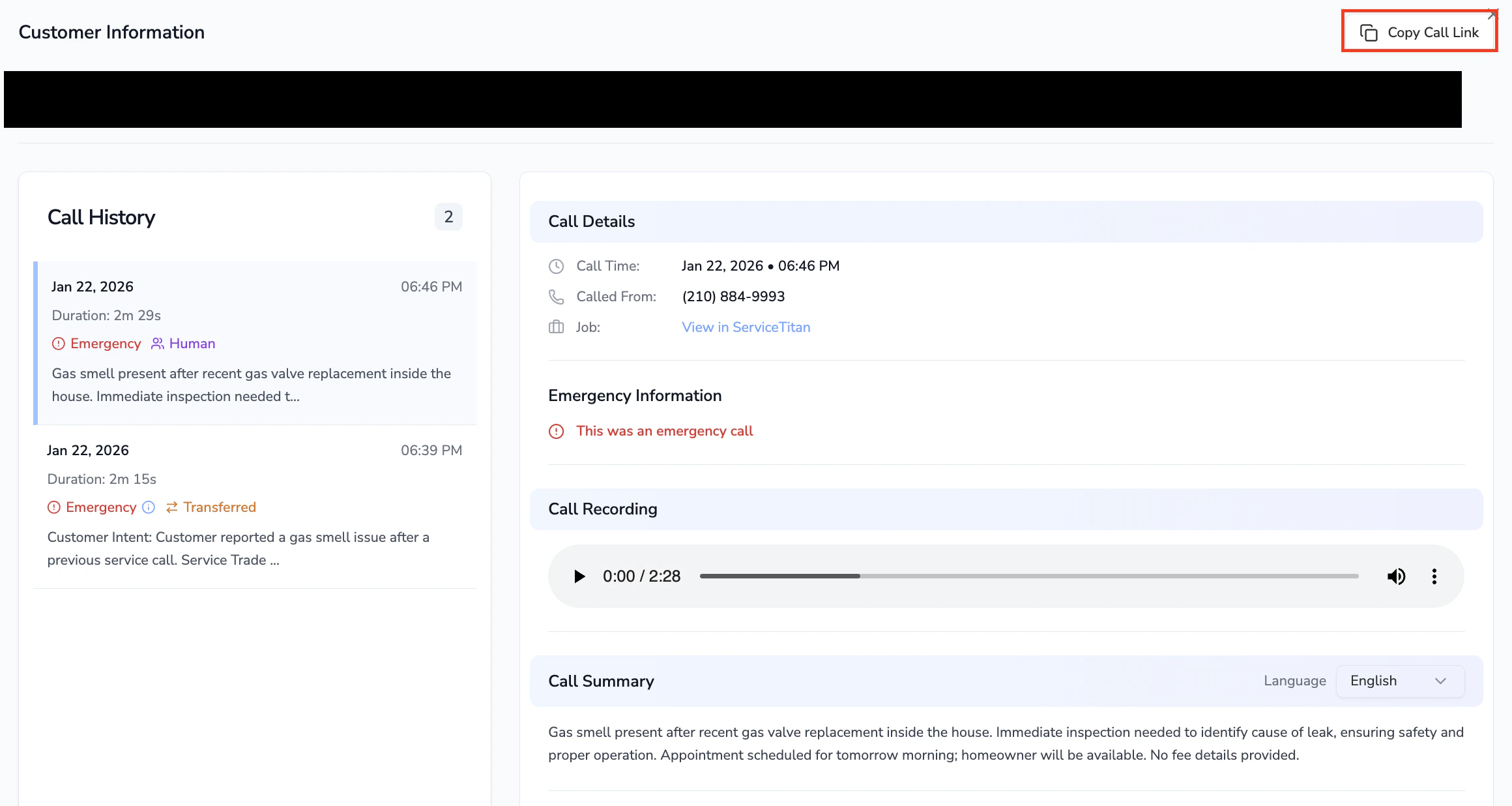
2) Grab the call link from Call Logs
After the call:
-
Go to Call Logs
-
Open the call
-
Copy the call URL
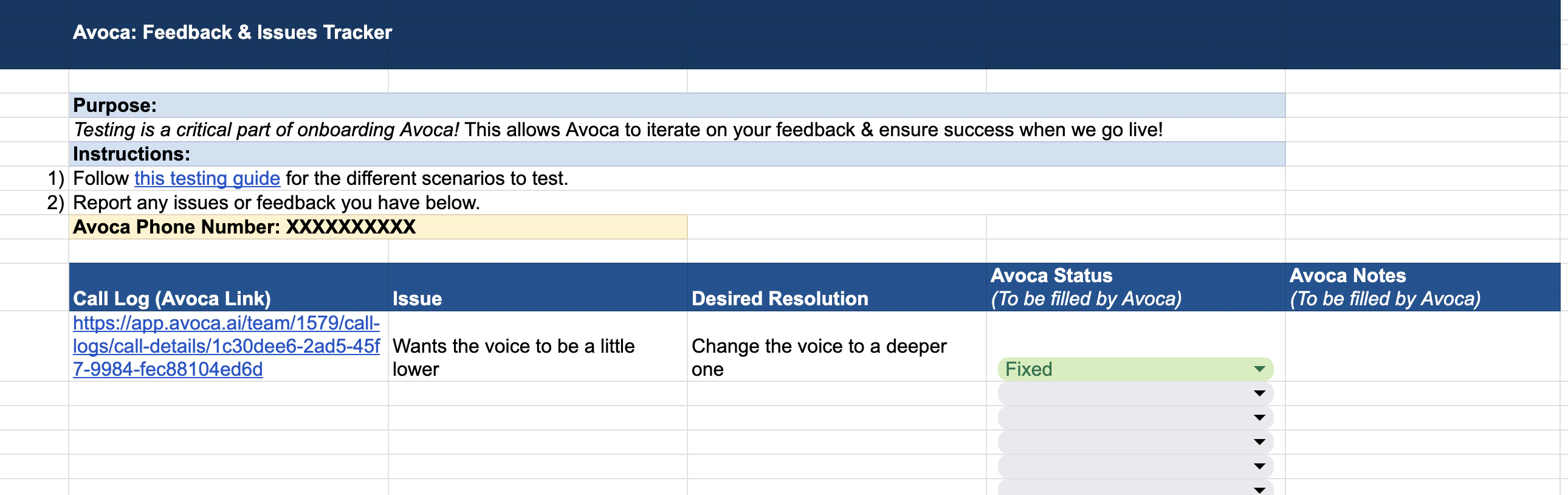
3) Log the issue in the tracker (one row per call)
In the tracker, add:
-
Call Log (Avoca Link): paste the URL
-
Issue: what went wrong (be specific)
-
Desired Resolution: what “good” looks like (even if it feels obvious)
4) Use status to drive the workflow
Avoca uses the tracker status to manage the loop:
- Reported → new item logged
- Fix In Progress / Ready to retest → someone has made or is making a change
- Fixed / Pass → confirmed resolved (often after a retest call)
5) Keep expectations in mind
- We recommend ~30 test calls to cover the common scenarios before go-live.
- Test calls can create real bookings in ServiceTitan; cancel them afterward, or once you’ve done a few calls you can tell the bot at the end that it was just a test.
Last modified on March 9, 2026