

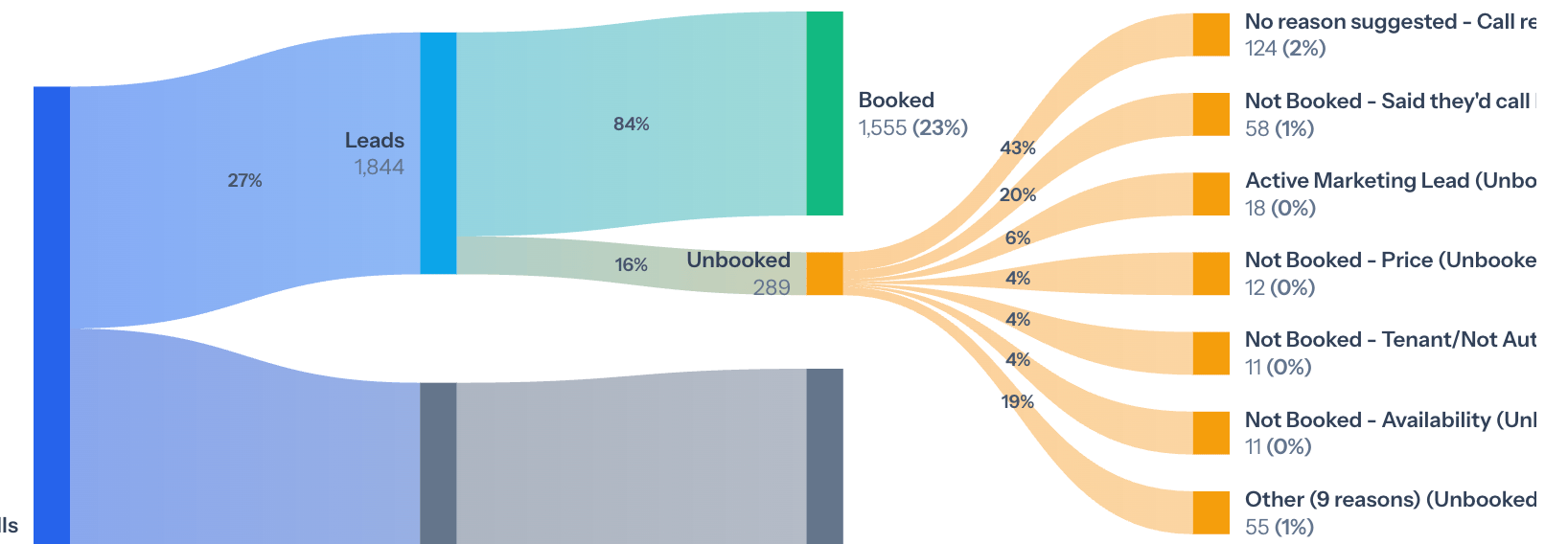
Top Unbooked Reasons shows which outcomes account for the largest share of missed bookings.
Read your unbooked reasons
1
Open Coach Overview
Go to Coach → Overview and set your filters.
2
Find Top Unbooked Reasons
Scroll to the Top Unbooked Reasons card. Each reason shows how many calls it covers and what share of the total that is.
3
Pick the reason source
If your account has call reasons set up, you see a Reason source switch with Default, Current, and Suggested. See the next section for what each one shows.
4
Look for the biggest reason
Start with the reason at the top. Ask whether it comes from how agents handle calls, your availability, your policies, your pricing, or your service area.
What the Reason source options show
If your account has call reasons set up, the card starts on Suggested. If not, it shows Avoca’s own reasons and there is no switch.
To edit the call reasons Coach uses, go to Coach → Settings → Call Reasons. See Configure Coach settings.
About Avoca’s unbooked reasons
Avoca’s reasons are written to describe what actually happened on the call, such as a customer who only wanted an estimate visit, or a caller who chose to fix the problem themselves. When a call does not fit an existing reason, Coach adds a new one. Because of this, the list grows over time and your account may show reasons that are not listed here.Examples of Avoca's unbooked reasons
Examples of Avoca's unbooked reasons
I see a reason I don't recognize
I see a reason I don't recognize
Avoca’s reason list is not fixed, so new names can appear. Open a few of the calls behind the reason to see what happened. If the wrong reason shows up often on your calls, add or sharpen a description on your own call reasons at Coach → Settings → Call Reasons, then check new calls.
I don't see the Reason source switch
I don't see the Reason source switch
The switch only appears when your account has call reasons set up. Add or sync reasons at Coach → Settings → Call Reasons. See Configure Coach settings.
Write better call reason descriptions
Write better call reason descriptions
Good descriptions:
- Separate outcomes that are easy to mix up
- Say what event stopped the booking
- Do not repeat another reason
- Say whether the reason is a real chance to book
- Use a catch-all only when no specific reason fits