> ## Documentation Index
> Fetch the complete documentation index at: https://help.avoca.ai/llms.txt
> Use this file to discover all available pages before exploring further.
# Connect your AI agent to Avoca MCP
> Read calls, transcripts, and call metrics through MCP using your existing Avoca sign-in.
Connect your AI agent to Avoca MCP to retrieve call records and metrics. Your agent handles analysis and presentation. These tools read existing data; they do not start an Avo conversation or run an Avo model.
Customer data MCP requires activation by Avoca. If the server reports that it is not enabled, contact your Avoca representative. Your existing dashboard data permissions apply; a workspace Avo flag is not required by this connection.
## Connect your app
1. In an MCP client that supports remote **Streamable HTTP** servers and OAuth, add this server URL:
```text theme={null}
https://api.prod.avoca.ai/api/mcp
```
2. Follow the client's sign-in prompt. Sign in to Avoca using your usual dashboard method, including Google when available for your account.
3. Review the app name, return address, and requested **Read Avoca data** access. Choose **Allow access** to connect or **Deny** to cancel.
4. Ask your agent to list your team workspaces, then retrieve data from the workspace you select.
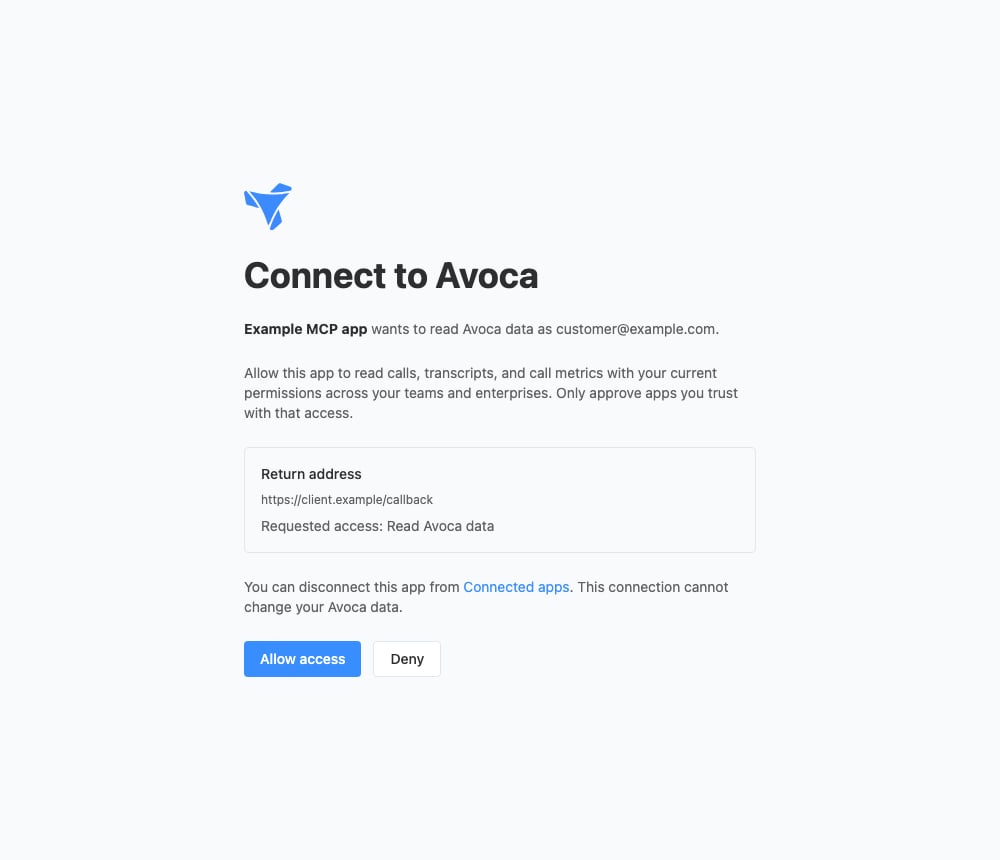 The connection follows your current permissions across teams and enterprises. Call transcripts may contain personal information. Only approve apps you trust with the data they can read. Signing in does not add workspace membership or grant additional permissions.
You do not need to copy a dashboard token or create an Enterprise API key. Your dashboard sign-in stays the same; the connected app receives a separate credential for this MCP. The connection is separate from Avoca's internal staff MCP.
For custom MCP clients, the OAuth scope is `avoca:read`. Send one refresh request at a time and save the replacement refresh token before refreshing again. Reusing a refresh token, including simultaneous requests or retries after an uncertain response, revokes the connection and requires reauthorization.
## Select your data
| Tool | Purpose |
| --------------------- | ----------------------------------------------------------------------------------------------------------------------------- |
| `list_workspaces` | List team workspaces from your dashboard selector. Supply an `enterprise_id` to list accessible teams within that enterprise. |
| `list_calls` | Retrieve a filtered page of visible call summaries for one team. |
| `get_call` | Read one call's existing summary and outcome. |
| `get_call_transcript` | Read a page of that call's transcript, with a continuation cursor for longer calls. |
| `get_call_metrics` | Read standard dashboard call metrics from ClickHouse for a team or enterprise. |
Call lists, details, and transcripts require `team_id` and the team's **Calls** permission. Details and transcripts also require `call_id`. Enterprise membership alone does not grant permission to read an individual team's call records.
Metrics take `workspace_type` (`team` or `enterprise`), `workspace_id`, `date_from`, and `date_to`. Team metrics require the team's **Calls** permission; enterprise metrics require the enterprise **Calls** permission and are limited to 50 accessible teams. The start timestamp is inclusive and the end timestamp is exclusive; timestamps are not rounded to calendar days.
The response includes `source: "clickhouse"`, the requested dates, `team_count`, and a `metrics` array. Each metric contains `metric_id`, `name`, `unit`, and `value`. Available metrics are Total Calls, Total Duration (seconds), Leads, Booked Calls, Unbooked Calls, Transferred Calls, Contained Booked Calls, and Contained Leads. They reuse the dashboard's standard metric definitions and the Custom Analytics visible-call population, including human-handled and unprocessed calls. A Calls page with additional filters can show different totals. Lead, booking, and transfer metrics overlap; do not add them to calculate total calls.
Recent changes can take time to reach ClickHouse. Metrics are unavailable through MCP for workspaces whose call classifications are not yet supported by the ClickHouse analytics compiler. If any accessible team in an enterprise is unsupported, the whole enterprise query fails; it does not return a partial total. Use dashboard analytics or select a supported team in that case.
You can also use the numeric workspace ID from a dashboard URL:
* Team: `https://dashboard.avoca.ai/team/TEAM_ID`
* Enterprise: `https://dashboard.avoca.ai/enterprise/ENTERPRISE_ID`
Workspace discovery is bounded and may omit workspaces available through other access paths. A parent enterprise ID in a team result does not imply enterprise membership. If a workspace is missing, provide its known dashboard ID; permissions are checked when data is requested.
## Keep requests focused
* Call lists and metrics require ISO timestamps with a timezone offset and a date range of at most **31 days**. For example, `2026-09-01T00:00:00Z` to `2026-09-08T00:00:00Z`.
* Call lists return **20 records by default**, up to **100**. Filter with `is_booked`, `is_bookable`, `is_transferred`, `call_reasons`, or `call_outcomes`.
* Pass `next_cursor` back as `cursor` to continue a call list, keeping the same team, dates, and filters. Stop when `has_more` is false. The tools never download every page automatically.
* Transcripts return up to **8,000 characters by default**, with a maximum of **20,000**. Pass `transcript.nextCursor` as `cursor` while `transcript.hasMore` is true.
* Workspace discovery uses `offset` and `limit`, returning `pageInfo.nextOffset` while more results are available.
* Prefer metrics for aggregate questions. Fetch individual transcripts only when needed. A failed metrics query is reported as unavailable, not as a zero count.
Example request to your agent: “For this team, find up to 20 transferred calls from September 1–7, then retrieve the transcript for the call I select.”
The MCP cannot modify records, approve actions, or retrieve arbitrary database queries. It returns structured data that your agent can use to build its own tables or charts.
## Disconnect an app
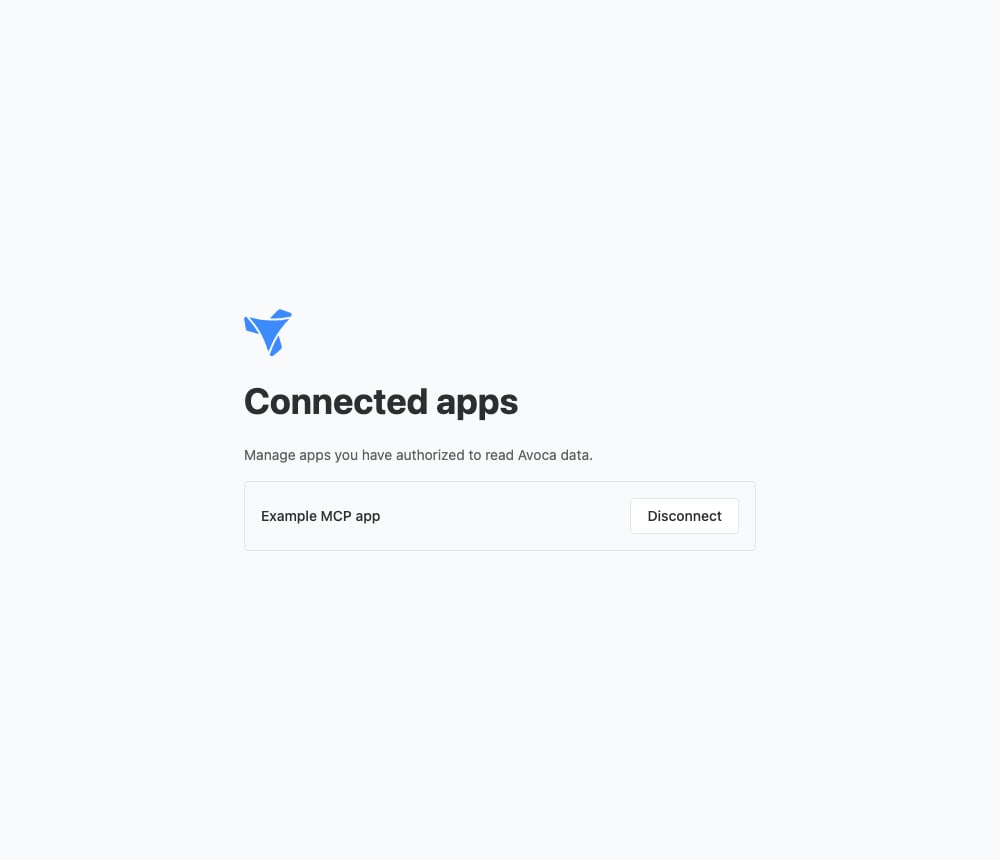
Open [Connected apps](https://dashboard.avoca.ai/auth/mcp) while signed in to Avoca, then choose **Disconnect** beside the app. Removing the server from your MCP client alone may leave its authorization active. Disconnecting stops new MCP requests and leaves your dashboard sign-in active. Connections expire after 30 days; reconnect through the sign-in and approval flow.
The connection follows your current permissions across teams and enterprises. Call transcripts may contain personal information. Only approve apps you trust with the data they can read. Signing in does not add workspace membership or grant additional permissions.
You do not need to copy a dashboard token or create an Enterprise API key. Your dashboard sign-in stays the same; the connected app receives a separate credential for this MCP. The connection is separate from Avoca's internal staff MCP.
For custom MCP clients, the OAuth scope is `avoca:read`. Send one refresh request at a time and save the replacement refresh token before refreshing again. Reusing a refresh token, including simultaneous requests or retries after an uncertain response, revokes the connection and requires reauthorization.
## Select your data
| Tool | Purpose |
| --------------------- | ----------------------------------------------------------------------------------------------------------------------------- |
| `list_workspaces` | List team workspaces from your dashboard selector. Supply an `enterprise_id` to list accessible teams within that enterprise. |
| `list_calls` | Retrieve a filtered page of visible call summaries for one team. |
| `get_call` | Read one call's existing summary and outcome. |
| `get_call_transcript` | Read a page of that call's transcript, with a continuation cursor for longer calls. |
| `get_call_metrics` | Read standard dashboard call metrics from ClickHouse for a team or enterprise. |
Call lists, details, and transcripts require `team_id` and the team's **Calls** permission. Details and transcripts also require `call_id`. Enterprise membership alone does not grant permission to read an individual team's call records.
Metrics take `workspace_type` (`team` or `enterprise`), `workspace_id`, `date_from`, and `date_to`. Team metrics require the team's **Calls** permission; enterprise metrics require the enterprise **Calls** permission and are limited to 50 accessible teams. The start timestamp is inclusive and the end timestamp is exclusive; timestamps are not rounded to calendar days.
The response includes `source: "clickhouse"`, the requested dates, `team_count`, and a `metrics` array. Each metric contains `metric_id`, `name`, `unit`, and `value`. Available metrics are Total Calls, Total Duration (seconds), Leads, Booked Calls, Unbooked Calls, Transferred Calls, Contained Booked Calls, and Contained Leads. They reuse the dashboard's standard metric definitions and the Custom Analytics visible-call population, including human-handled and unprocessed calls. A Calls page with additional filters can show different totals. Lead, booking, and transfer metrics overlap; do not add them to calculate total calls.
Recent changes can take time to reach ClickHouse. Metrics are unavailable through MCP for workspaces whose call classifications are not yet supported by the ClickHouse analytics compiler. If any accessible team in an enterprise is unsupported, the whole enterprise query fails; it does not return a partial total. Use dashboard analytics or select a supported team in that case.
You can also use the numeric workspace ID from a dashboard URL:
* Team: `https://dashboard.avoca.ai/team/TEAM_ID`
* Enterprise: `https://dashboard.avoca.ai/enterprise/ENTERPRISE_ID`
Workspace discovery is bounded and may omit workspaces available through other access paths. A parent enterprise ID in a team result does not imply enterprise membership. If a workspace is missing, provide its known dashboard ID; permissions are checked when data is requested.
## Keep requests focused
* Call lists and metrics require ISO timestamps with a timezone offset and a date range of at most **31 days**. For example, `2026-09-01T00:00:00Z` to `2026-09-08T00:00:00Z`.
* Call lists return **20 records by default**, up to **100**. Filter with `is_booked`, `is_bookable`, `is_transferred`, `call_reasons`, or `call_outcomes`.
* Pass `next_cursor` back as `cursor` to continue a call list, keeping the same team, dates, and filters. Stop when `has_more` is false. The tools never download every page automatically.
* Transcripts return up to **8,000 characters by default**, with a maximum of **20,000**. Pass `transcript.nextCursor` as `cursor` while `transcript.hasMore` is true.
* Workspace discovery uses `offset` and `limit`, returning `pageInfo.nextOffset` while more results are available.
* Prefer metrics for aggregate questions. Fetch individual transcripts only when needed. A failed metrics query is reported as unavailable, not as a zero count.
Example request to your agent: “For this team, find up to 20 transferred calls from September 1–7, then retrieve the transcript for the call I select.”
The MCP cannot modify records, approve actions, or retrieve arbitrary database queries. It returns structured data that your agent can use to build its own tables or charts.
## Disconnect an app
Open [Connected apps](https://dashboard.avoca.ai/auth/mcp) while signed in to Avoca, then choose **Disconnect** beside the app. Removing the server from your MCP client alone may leave its authorization active. Disconnecting stops new MCP requests and leaves your dashboard sign-in active. Connections expire after 30 days; reconnect through the sign-in and approval flow.
 ## Troubleshooting
* **Sign-in keeps failing:** Restart the connection in your MCP client. Use the Avoca account with access to the intended workspace.
* **Data access is denied:** Verify your team or enterprise membership and the applicable Calls permission. Access to enterprise metrics does not necessarily include individual team records.
* **Metrics unavailable:** Use dashboard analytics if your workspace is not yet supported. For a timeout or query limit, narrow the date range or select one team. Failed or incomplete queries never return a zero count as a substitute.
* **Invalid query:** Check the date range, workspace ID, and cursor. Enterprise metrics support at most 50 accessible teams; use individual team metrics for larger enterprises.
* **Too many concurrent requests:** Reduce parallel reads and retry after the delay indicated by the server.
* **The app requires a client secret:** This integration supports public OAuth clients with PKCE. Use a client that supports that flow.
## Troubleshooting
* **Sign-in keeps failing:** Restart the connection in your MCP client. Use the Avoca account with access to the intended workspace.
* **Data access is denied:** Verify your team or enterprise membership and the applicable Calls permission. Access to enterprise metrics does not necessarily include individual team records.
* **Metrics unavailable:** Use dashboard analytics if your workspace is not yet supported. For a timeout or query limit, narrow the date range or select one team. Failed or incomplete queries never return a zero count as a substitute.
* **Invalid query:** Check the date range, workspace ID, and cursor. Enterprise metrics support at most 50 accessible teams; use individual team metrics for larger enterprises.
* **Too many concurrent requests:** Reduce parallel reads and retry after the delay indicated by the server.
* **The app requires a client secret:** This integration supports public OAuth clients with PKCE. Use a client that supports that flow.